You have an automation copying a value from one table into a linked record field in another table.
Everything works until you have a value like:
Marketing, Communications & PR
Instead of linking to one record called Marketing, Communications & PR, Airtable splits it into two:
Marketing
Communications & PR
The problem is the comma.
Why Airtable splits the value
When Airtable receives text for a linked record field, commas can be used to separate multiple records.
For example:
Marketing, Sales
can be interpreted as two records:
Marketing
and
Sales
That is useful when you actually want to link multiple records.
But it becomes a problem when the comma is part of the record's name.
A company such as Acme, Inc. or a location such as Toronto, ON could also get split for the same reason.
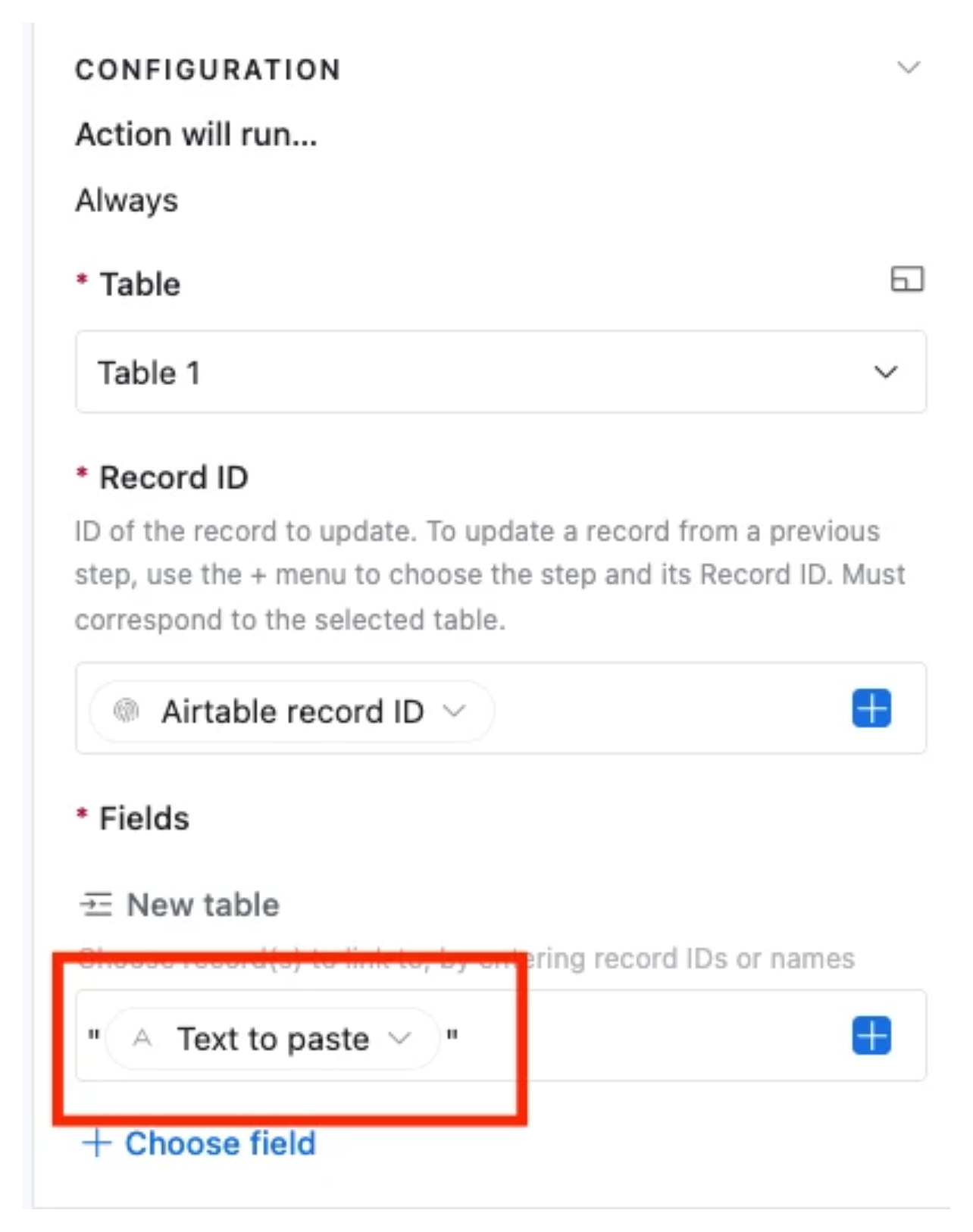
Wrap the value in quotes
The fix is to wrap the entire value in double quotes before passing it to the linked record field.
Instead of sending:
Marketing, Communications & PR
send:
"Marketing, Communications & PR"
Airtable now treats everything inside the quotes as one value, including the comma.
Your automation can then link to one record called:
Marketing, Communications & PR
rather than trying to link to two separate records.
What if the value is dynamic?
You probably do not want to manually add quotes to every possible value.
Instead, create a formula field that adds the quotes automatically.
If your original field is called Sector, you could use:
'"' & {Sector} & '"'
If Sector contains:
Marketing, Communications & PR
the formula returns:
"Marketing, Communications & PR"
Then use this formula field in your automation when updating the linked record field.
This also works when the values are constantly changing.
For example, if you have locations such as:
Toronto, ON
Vancouver, BC
Austin, TX
the formula automatically wraps whichever value is in the record.
One thing to watch for
When you pass text into a linked record field, Airtable may create a new record in the linked table if a matching record does not already exist and the linked table's primary field can accept the value.
So if your goal is to link only to records that already exist, I would use a Find records action first and then update the linked record field using the record ID Airtable finds.
But if your automation is already working and the only problem is values being split at commas, wrapping the value in quotes is the simple fix.