How to Submit Euro Only Expense Reports When Your Expenses Are in USD and EUR
You work with an international agency and every expense report needs to be submitted in euros.
The problem is that not every expense starts in euros.
Some receipts are already in EUR. Others are in USD. In Airtable, you need a way to enter the original amount, convert the USD expenses, and end up with one clean EUR value for each record.
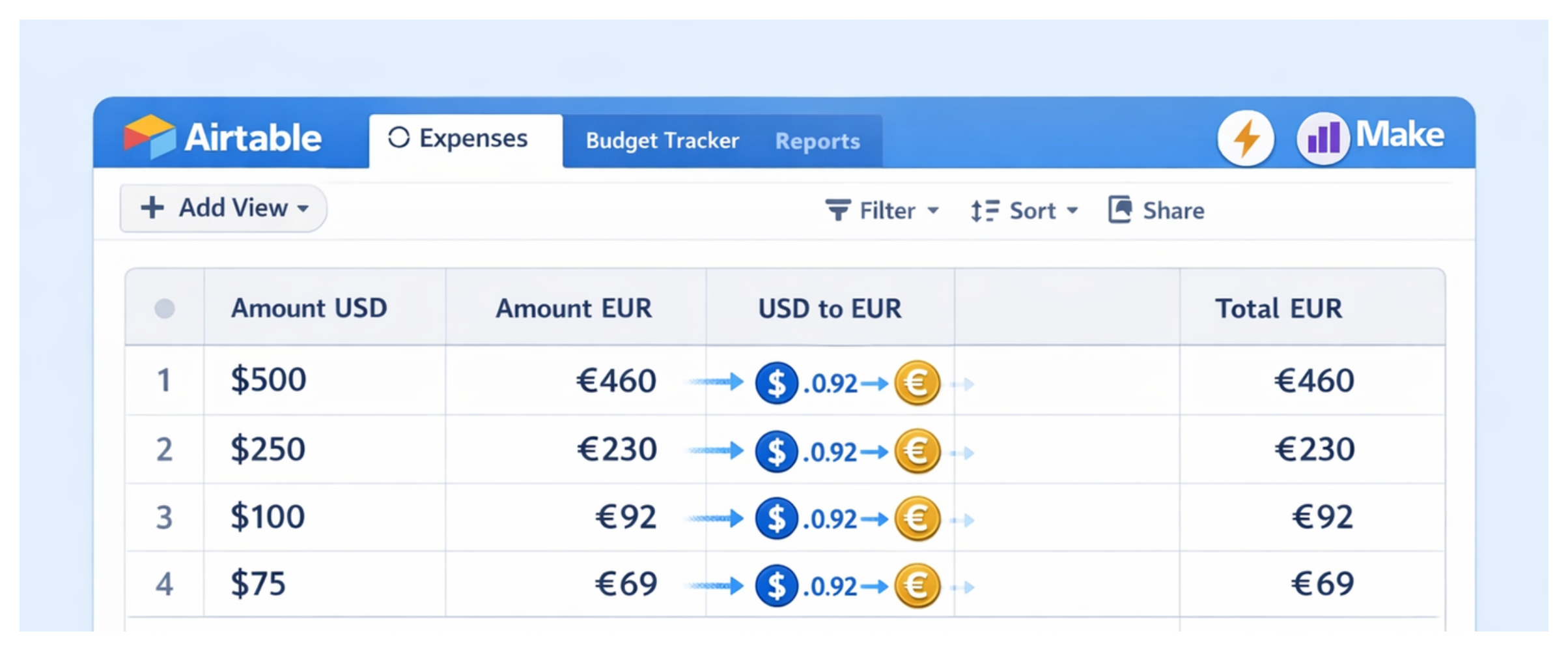
The main mistake is treating this as a simple formula problem. The formula matters, but the proof matters too. Once a report is submitted, you should be able to see which exchange rate was used and when.
Start With the Fields
In your Expenses table, create these fields:
Amount USDAmount EURUSD to EURExchange Rate UsedExchange Rate DateExchange Rate SourceTotal EUR
Use Amount USD only when the receipt was paid in dollars.
Use Amount EUR only when the receipt was already paid in euros.
USD to EUR is where Airtable or Make will store the converted value.
The exchange rate fields are there so you are not left with a converted number and no explanation later.
This matters because different teams handle reimbursement differently. Some use the exchange rate from the transaction date. Some use the rate from the day you submit the report. Some require a specific published rate from finance.
Before you automate anything, decide which rule your agency expects you to follow.
Add a Simple Check
Each expense should use one amount field, not both.
If the receipt is in USD, fill Amount USD.
If the receipt is in EUR, fill Amount EUR.
If both fields are filled, the record needs to be checked before it goes into the report. I would add a formula field called Amount Check:
IF(
  AND({Amount USD} != BLANK(), {Amount EUR} != BLANK()),
  "Check: both amounts are filled",
  IF(
    AND({Amount USD} = BLANK(), {Amount EUR} = BLANK()),
    "Check: no amount entered",
    "OK"
  )
)
This is not fancy, but it prevents the most common mistake: entering a USD amount and a EUR amount on the same expense, then accidentally reporting the wrong total.
Convert the USD Expenses
For USD expenses, you need to fill USD to EUR.
One option is an Airtable automation with a Run a script action.
Set the trigger to When record is updated and monitor the Amount USD field. When that field changes, the script can call a currency exchange API, calculate the euro amount, and write the result into USD to EUR.
The script should also write the rate, date, and source into the exchange rate fields.
For one expense at a time, this is usually fine. Airtable scripts can call external APIs, but they are still meant for bounded work. Airtable lists limits such as a 120 second script timeout, a 30 second fetch timeout, 50 fetch requests, 30 selectRecords queries, 512 MB of memory, and limits on record updates.
Those limits do not matter much for a normal expense form. They do matter if you try to convert hundreds or thousands of old records in one automation run.
Use Make If You Do Not Want to Script
If you do not want to maintain a script, use Make instead.
Make has a built in currency exchange module, so the flow is easier to build visually.
The setup is simple:
-
Airtable sends the record to Make when a USD amount is added or changed.
-
Make converts the amount into euros.
-
Make writes the converted value back to
USD to EUR. -
Make also writes the rate, date, and source back to Airtable.
Both options can work. The difference is where you want the logic to live.
If you are comfortable with JavaScript, I prefer the Airtable script because the logic stays close to the data.
If you do not want to write code, Make is easier to manage.
Create the Final EUR Field
The final formula should not add Amount EUR and USD to EUR together.
That would only make sense if both values were separate expenses on the same record. In this setup, they are alternatives. A record uses either the original EUR amount or the converted USD amount.
Use this formula for Total EUR:
IF(
  {Amount EUR} != BLANK(),
  {Amount EUR},
  {USD to EUR}
)
If the expense was already in euros, Airtable uses Amount EUR.
If the expense was in dollars, Airtable uses the converted value from USD to EUR.
Now your report can use one field, Total EUR, without losing the original currency or the exchange rate history behind it.