How to Merge Duplicate Records in Airtable
If the same contact appears more than once in Airtable, you can merge the records instead of deleting one and losing its information.
I'll use a Contacts table as the example. One record has the contact's phone number, while the other has a linked deal and a note. The Dedupe extension can keep one contact record and let you choose which values should stay in the final record.
Open the Dedupe extension
The Dedupe extension is Airtable's tool for finding and merging duplicate records. It is available on all paid Airtable plans.
Open the base that contains the duplicates, then:
- Click Tools in the upper-right corner.
- Select Extensions and click Add an extension.
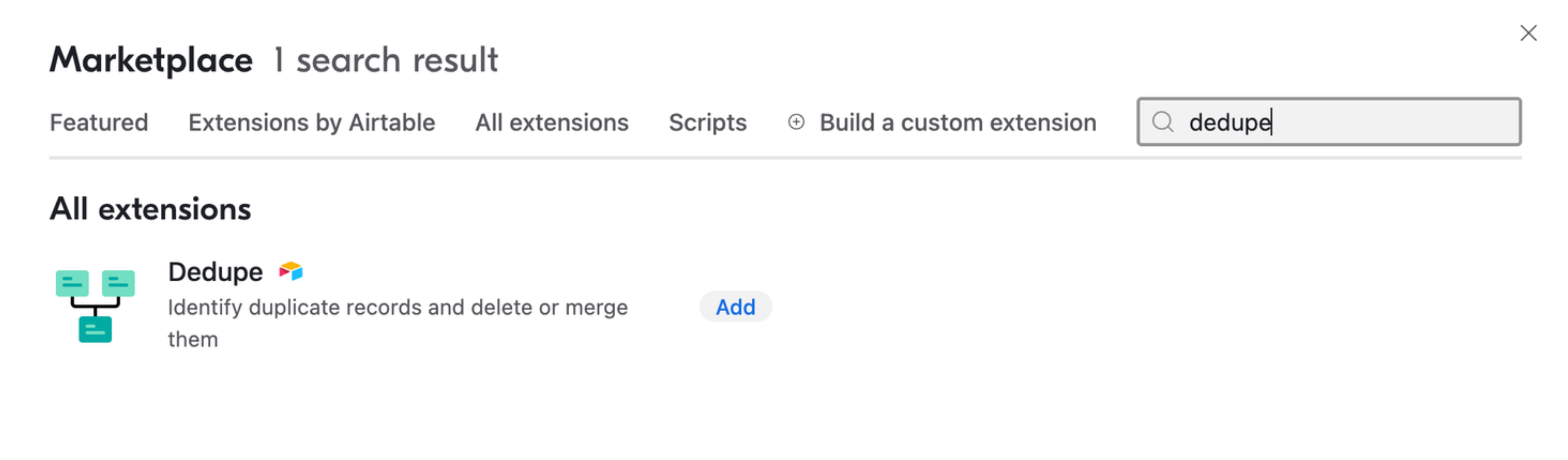
- Search for Dedupe, then click Add and Add extension.
Open the extension and choose the table you want to check. You can also choose a view if you only want to search part of the table.
Choose how Airtable should find duplicates
Select the field or fields that should match. For contacts, Email is usually safer than a name because two people can have the same name.
If you select more than one field, Airtable flags records only when all of those fields match. For example, selecting First name, Last name, and Company requires all three values to match.
For text fields, choose the matching type that fits your data:
- Exact matches the same value, including capitalisation.
- Similar also allows differences in capitalisation, punctuation, accents, spaces, and word order.
- Fuzzy looks for typing mistakes and swapped characters. Review these matches carefully because similar names can belong to different people.
Click Find duplicates. Airtable will show the matching records in groups for you to review.
Choose the record to keep
Open a duplicate group and select the record you want to keep as the primary record. Keep the record with the better history, such as the one already connected to your other Airtable workflows.
The other records in that group will be deleted when you finish the merge. The primary record keeps its comments and revision history.
If a group contains a record that is not actually a duplicate, use Exclude from record set before merging it.
Choose the values for the final record
The extension shows the records side by side. For each field, select the value you want in the primary record.
For example, keep the phone number from one contact record and the notes from the other. Airtable shows the selected values in the merge preview before you apply the change.
For fields that can hold several values, such as linked records, attachments, multiple select, and multiple collaborator fields, you can select more than one value. Use the + button or the relevant multi-select shortcut in the extension to keep all the information you need.
This matters when the duplicate contact is linked to different deals. Select the linked deals from both records if they should all remain connected to the primary contact.
Merge the records
Review the merge preview, then click Merge and delete when the final record looks right. Airtable updates the primary record with your selected values and deletes the other records in the group.
Open the merged contact and check its linked records, attachments, and important fields before reviewing the next group. The Dedupe extension handles one duplicate group at a time, so you can skip a group when the records should stay separate.
The extension can be slow or unable to review and merge records in very large tables. For a large cleanup, work from a filtered view or split the work into smaller groups.
Stop the duplicates from coming back
Merging the records cleans up the table, but it does not stop a new form submission, import, or automation from creating another duplicate.
For ways to flag duplicates as they arrive, prevent duplicate form submissions, or merge updated CSV rows into existing records, see how to find, remove, and prevent duplicate records in Airtable and how to import updated data into Airtable without creating duplicates.
If you need duplicate prevention in a form, Fillout has a duplicate-prevention option for supported fields on its higher plans.