Why Your Airtable Attachment Links Stop Working (and How to Fix Them)
If an Airtable attachment link worked earlier and now returns an error, the file is still on the record. The download link expired.
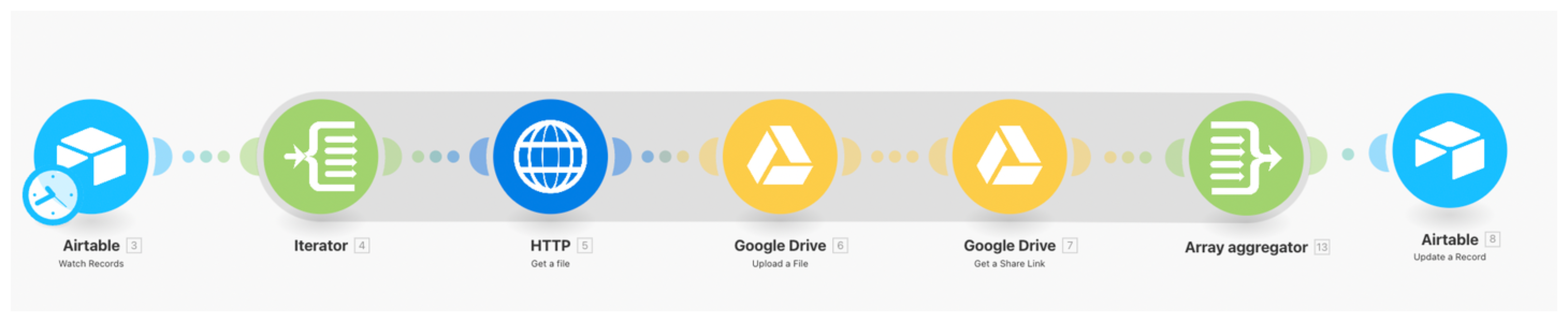
Why the link expires
Airtable gives you two types of attachment links. The link you get for downloading a file works for a limited time. Airtable says these links stay active for at least two hours after they are provided.
If the recipient already uses Airtable
Open the attachment in Airtable, copy the viewer URL from the browser, and send that link. It opens the file inside Airtable, so the recipient must be signed in and have access to the base or Interface where the attachment is stored.
This is the right option for a team member or client who already works in Airtable. It is not a public link for someone without Airtable access.
If someone needs the file once
Download the file from Airtable and attach it to your email or message. The recipient gets the file itself, so there is no Airtable link to expire later.
You can do the same with an Airtable automation. In the Send email action, add the attachment field to the email's Attachments section instead of inserting the attachment URL into the message. See how to email a PDF attachment from Airtable for the setup.
If you need a link that keeps working
Store the file in Google Drive, Dropbox, or another file-storage service, then save its link in a File link URL field in Airtable. Use that link on your website or send it to someone outside Airtable.
For a Google Drive workflow, see how to automatically link Google Drive files to the right Airtable records.
For a broader comparison of Airtable attachments and Google Drive, see should you store documents in Airtable or Google Drive. For other ways to share Airtable images with people who do not have an account, see how to share Airtable images with people who do not have an account.