Hide Extra Linked Record Details in Airtable Forms
Let's say you are building an Airtable form and one of the fields links to another table.
For example, you have a Responses table where the form submissions are stored and a Sectors table containing all your sectors.
The Sectors table might have fields such as the sector name, description, category, owner, and internal notes.
In the Responses table, you have a linked record field that lets someone select one or more sectors.
The problem is that when someone opens this field in the form, Airtable can show more than just the sector name.
It might also show the description, category, owner, or other information from the linked record.
Those fields might be useful for your team inside Airtable, but you do not necessarily want someone filling out the form to see all of them.
The good thing is that you can control exactly which fields are visible directly from the form.
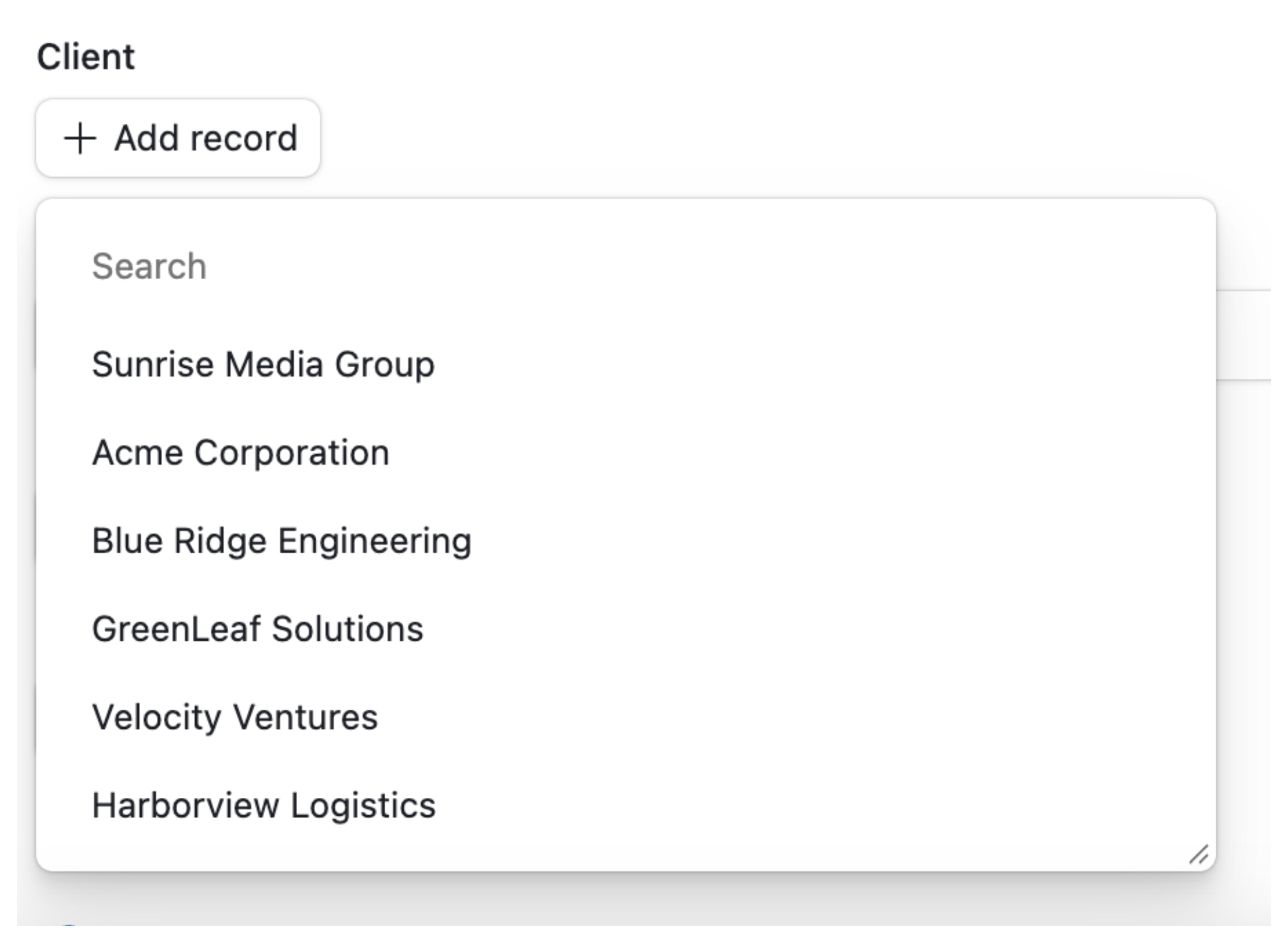
Choose which linked record fields are visible
Open your Airtable form and click on the linked record field.
In the settings panel on the right, open the Appearance section.
Look for Fields to be visible.
This is where you can choose which fields from the linked table should appear when someone is selecting a record.
For example, your Sectors table might contain:
- Sector Name
- Description
- Category
- Owner
- Internal Notes
If you only want people filling out the form to see the sector name, keep Sector Name visible and remove the other fields.
Now when someone opens the linked record field, they will only see the sector names.
If a little more information would help them choose the correct sector, you could show the Sector Name and Description while keeping fields such as Owner and Internal Notes hidden.
This does not change your linked table
Changing the visible fields in the form does not remove or hide those fields from your Airtable base.
Your Sectors table can still contain the description, category, owner, internal notes, and anything else your team needs.
You are only controlling what someone sees when using that linked record field on this particular form.
This is useful because you can keep all the information your team needs in the linked table without overwhelming people filling out the form with details that are not relevant to them.
You also do not need to replace the linked record field with a multiple select just to make the form cleaner.
The field remains linked to the Sectors table, so you keep the relationships and information behind each sector while showing only the fields that are useful to the person filling out the form.