Airtable API Limits and Rate Limits
If an Airtable integration is slow, returns only 100 records, or starts returning 429 errors, it has probably reached one of Airtable's API limits.
The limits are different for reading records, writing records, sending requests, and using the API each month. Once you know which limit you reached, the fix is much easier to choose.
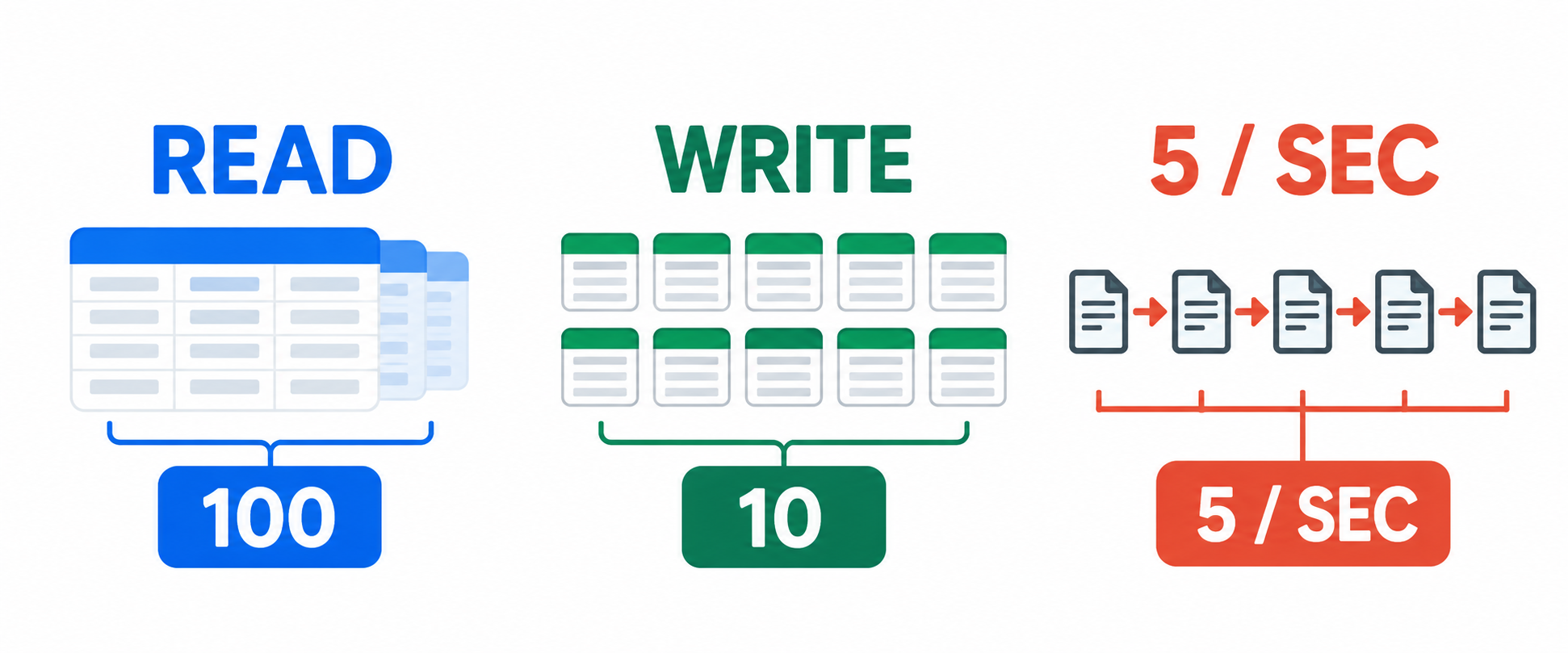
The limits to check first
| Limit | Current Airtable limit |
|---|---|
| Records returned in one read response | Up to 100 |
| Records created, updated, or deleted in one request | Up to 10 |
| Requests for one base | 5 per second |
| Requests using one personal access token | 50 per second across bases |
| Free monthly API calls | 1,000 per workspace |
| Team monthly API calls | 100,000 per workspace |
| Business and Enterprise Scale monthly API calls | No monthly cap |
The first four limits apply to how each request is sent. The monthly limit is counted across the workspace, so several integrations can use the same allowance.
Reading more than 100 records
Airtable returns up to 100 records in one read request. This is a page size, not a limit on how many records the table can contain.
When more records are available, the response includes an offset. Send that value with the next request and continue until Airtable stops returning an offset.
For example, a table with 501 records takes six requests to read completely. If you only need some records, use a view or filterByFormula to reduce the number of pages.
For a complete example of creating records in batches, see how to create multiple records with the Airtable API.
Creating more than 10 records
The REST API accepts up to 10 records in one create, update, or delete request. To send 23 records, send three requests containing 10, 10, and 3 records.
Do not confuse this with Airtable scripting methods. The REST API uses batches of 10, while methods such as createRecordsAsync() can work with up to 50 records in one call.
If you are sending CSV data rather than individual JSON records, Airtable's Sync API supports up to 10,000 rows per request, with separate limits for file size, fields, and request frequency.
Requests per second
Airtable allows up to 5 Web API requests per second for each base. It also allows up to 50 requests per second across bases for traffic using the same personal access token.
If your code sends requests too quickly, Airtable returns a 429 response. Pause before retrying the failed request, then add batching and backoff so the same problem does not happen on the next run.
This limit applies to external requests from scripts, apps, and connected tools. Reading or editing records in Airtable's own interface does not use the public Web API limit.
Monthly API limits by plan
Free workspaces have 1,000 API calls per month. Team workspaces have 100,000. Business and Enterprise Scale workspaces do not have a monthly API call cap, but the per-base rate limit still applies.
Free workspaces receive a temporary grace period after exceeding the monthly limit. Team workspaces are throttled to 2 requests per second after reaching their monthly allowance. Both limits reset on the first day of the next calendar month.
API calls are counted in the workspace that contains the base. If an integration connects to several bases in different workspaces, each workspace uses its own allowance.
What counts as an API call
Requests sent to Airtable's Web API count toward the limits. This includes requests from your own code and from connected tools that read, create, update, or delete Airtable records for you.
Calls to retrieve a base schema also count as API calls. A tool that repeatedly fetches the schema can therefore use part of the same monthly allowance as a tool that reads records.
Native actions inside Airtable, such as viewing records in the Airtable app or using a normal Airtable automation action, do not use the public Web API quota. They run through Airtable's internal systems.
How to reduce API calls
Use these changes when a workflow is hitting a limit:
- Send up to 10 records in each REST API write request.
- Read records page by page and keep the offset from each response.
- Request only the fields the workflow needs.
- Use a view or
filterByFormulainstead of reading every record. - Cache data that does not change often, such as a base schema.
- Retry a
429response with a delay instead of sending it again immediately. - Use the Sync API for large CSV updates when its supported fields are enough for the workflow.
If you keep seeing 429 after slowing down the requests, check the workspace's monthly usage as well. A per-second delay cannot restore a monthly quota that has already been reached. See how to fix Airtable error 429 for the troubleshooting steps.
For the current limits and plan details, see Airtable's API limits documentation.