Suppose you have two tables in Airtable:
Policies
and
Documents
Each policy has information like:
- Policy ID
- Client
- Carrier
- Policy Type
Your Documents table contains the files associated with each policy.
You want the Documents table to also show the policy's client, carrier, and policy type.
You could build an automation that copies all of those values from Policies into Documents.
But I wouldn't.
This is exactly what linked records and lookup fields are designed for.
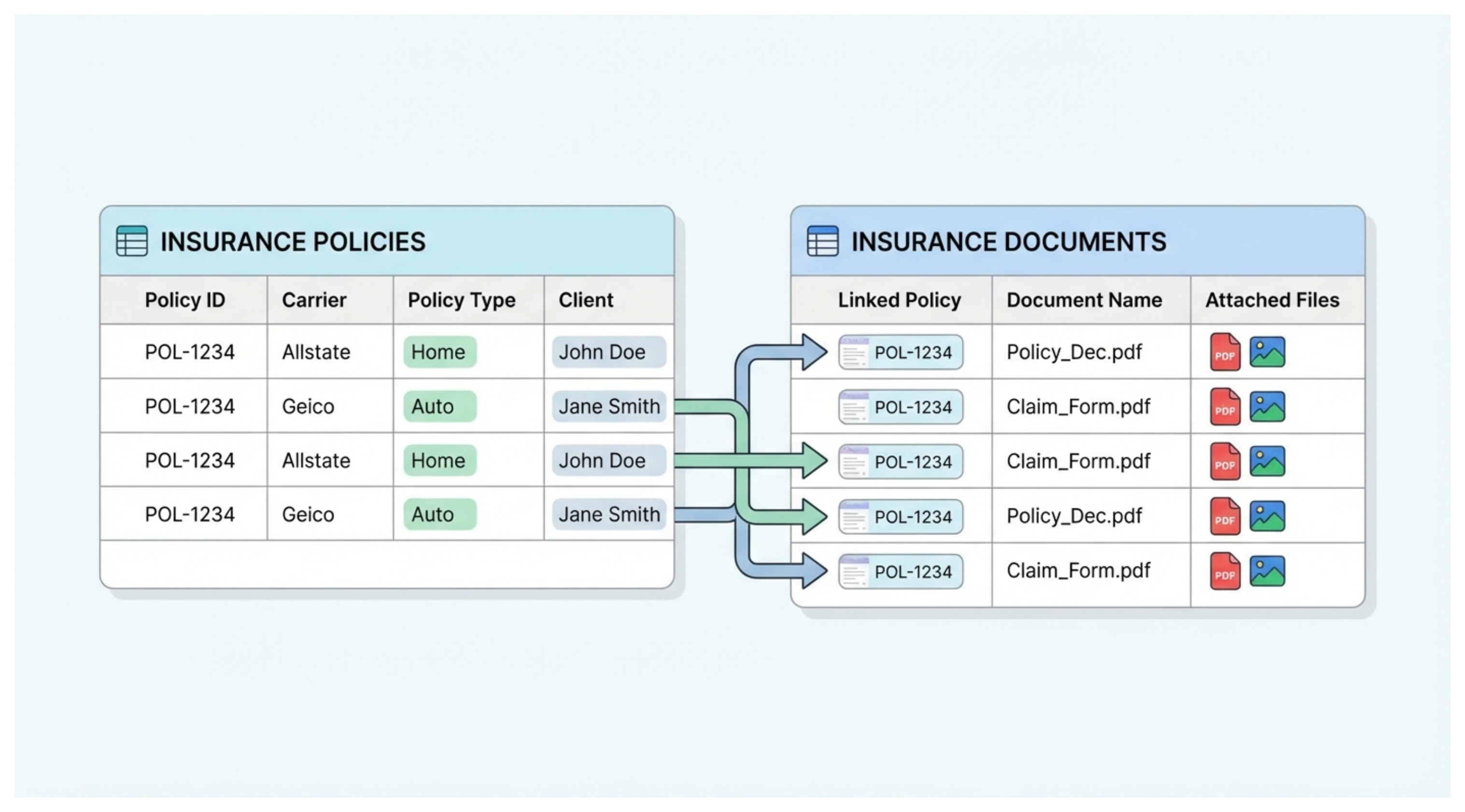
Link the two tables
Start by adding a linked record field to the Documents table that links to the Policies table.
Each document can then be connected to the policy it belongs to.
For example:
Document: Signed Health Policy
Policy: POL-1042
Once those records are linked, Airtable has an actual relationship between the document and the policy.
Add lookup fields
Now suppose you want to see the policy's carrier inside the Documents table.
Add a Lookup field.
Choose:
Policy → Carrier
You can do the same for:
Policy → Client
Policy → Policy Type
Policy → Policy ID
These fields aren't separate copies of the information.
They are showing values from the linked Policy record.
What happens when the policy changes?
Suppose the carrier on POL-1042 changes.
You update it once in the Policies table.
Because the Documents table is looking up that value from the linked Policy record, the new carrier automatically appears there too.
You don't need an automation that watches the Policies table and copies the new value into Documents.
This is the main reason I prefer lookups for this type of setup.
The information has one source of truth.
You still need to create the link
There is one important distinction.
Creating a linked record field doesn't automatically match your existing records based on Policy ID.
You still need to connect each Document record to the correct Policy record.
You can do that manually when creating the document.
Or, if documents are being created automatically and you already have the Policy ID, you can use an automation to find the matching Policy and create the link.
The automation is then responsible only for establishing the relationship.
After that, lookup fields handle the policy information automatically.
That's much easier to maintain than having an automation copy Client, Carrier, Policy Type, Policy ID, and every other field individually.
What if the tables are in different bases?
Linked records are the right approach when both tables are inside the same Airtable base.
If you need to bring a table from one Airtable base into another base, that's a different feature: Airtable Sync.
You can make a view in the source base available for syncing and create a synced table in another base.
With automatic syncing enabled, changes in the source are reflected in the synced table.
Airtable Sync is available on paid plans. Team supports one-way syncing, while Business and Enterprise Scale also support two-way syncing.
So I think of these as two different situations:
Two related tables in the same base → Linked records + lookups
A table needed in another base → Airtable Sync
For the Policies and Documents example, linked records and lookups are the simpler solution. You keep the policy information in one place and let Airtable display it wherever it's needed.